"My plan" builds a structured strength programme, over several weeks, with the kilos of each set calculated automatically from your "Iron" scores. You don't need to know about percentages: you just tick the sets as you do them.
Strength
My plan
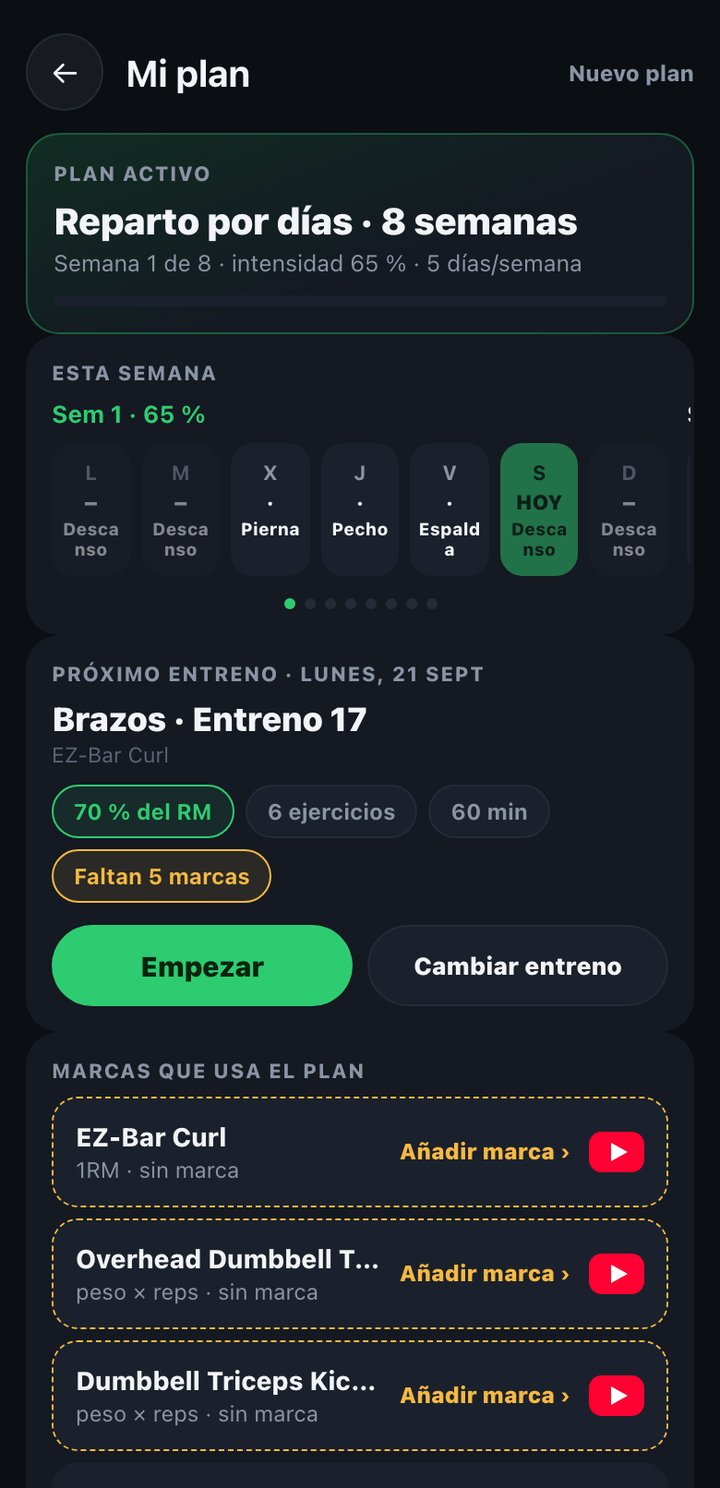
Create a plan
- Tap "New plan" (or "Start" if it has already proposed one).
- Choose the length in weeks and how many days a week you want to train.
- The plan spreads the exercises by day and by week, raising intensity little by little; every 4 weeks it includes a deload week with less load.
Week calendar
Current week
When you open "My plan" you land on the week you are in, with today highlighted.
Swipe sideways
The plan's full calendar moves by dragging left or right, one week per screen, to review any past or future week.
Each day cell
Shows the muscle group or training type of that day ("Legs", "Back"...), or "Rest" if there is no training. Tap a day to open its session.
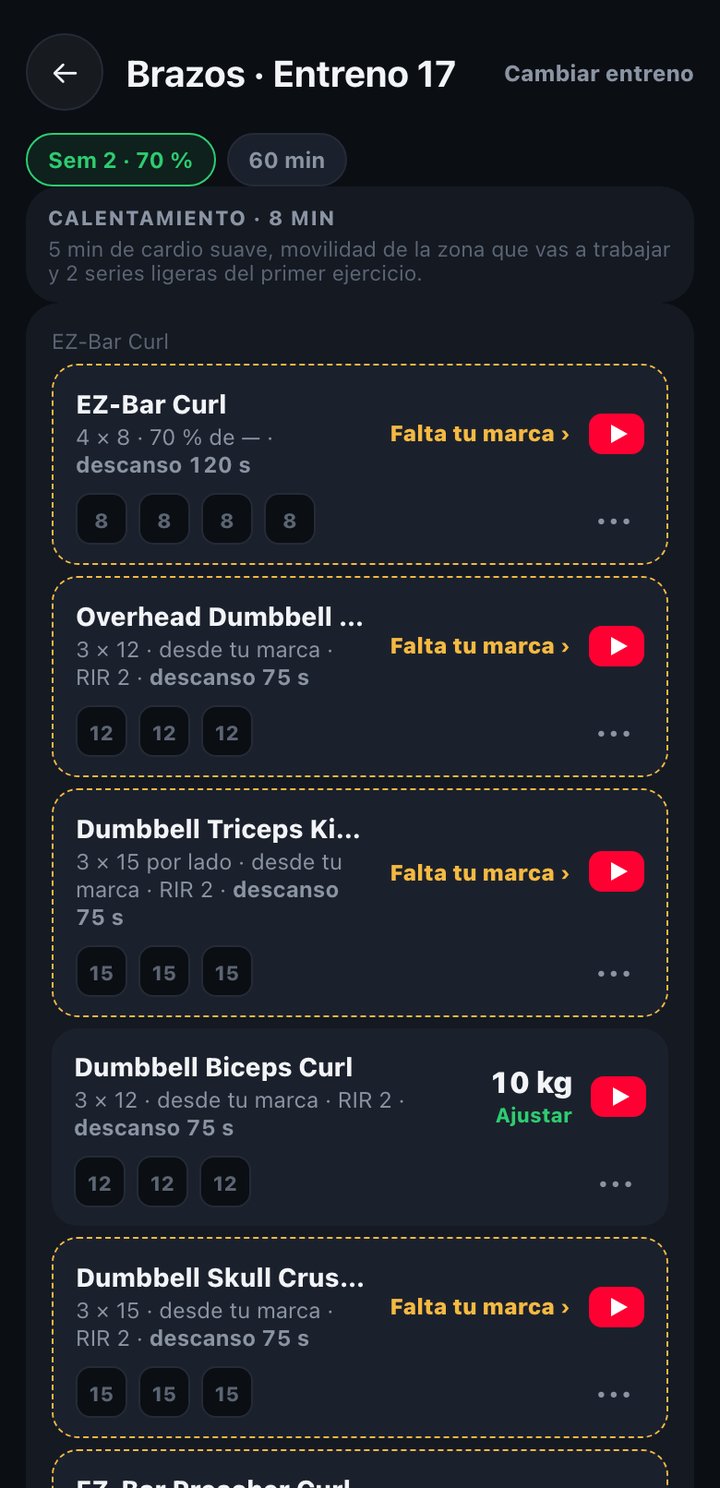
Inside a training day
- Each exercise shows its sets, with reps and the weight already calculated from your score in "Iron" (or "Your score is missing" if you don't have it yet).
- Tick each set as done as you complete it; it stays saved even if you leave the screen and come back later.
- When you tick a set the rest countdown starts, with a big second-by-second counter; when it reaches 0 it is ready again for the next set. If you close the app, the rest continues where it was when you return.
- If an exercise has no score in "Iron" yet, you can add it right there without leaving the plan.
- When you finish all the sets, tap "Mark as finished": the day is marked as done, but you stay on the same screen, with your sets and scores visible and editable.
The plan uses the 1RM (real or estimated) you have saved in "Iron" for each exercise: if you update a score there, the plan recalculates the kilos of the pending sets.