"Calisthenics" brings together all bodyweight work: an exercise library with technique videos, a workout generator based on your equipment and level, step-by-step paths with achievements and your max reps. It has four tabs at the top; each one works separately.
Strength
Calisthenics
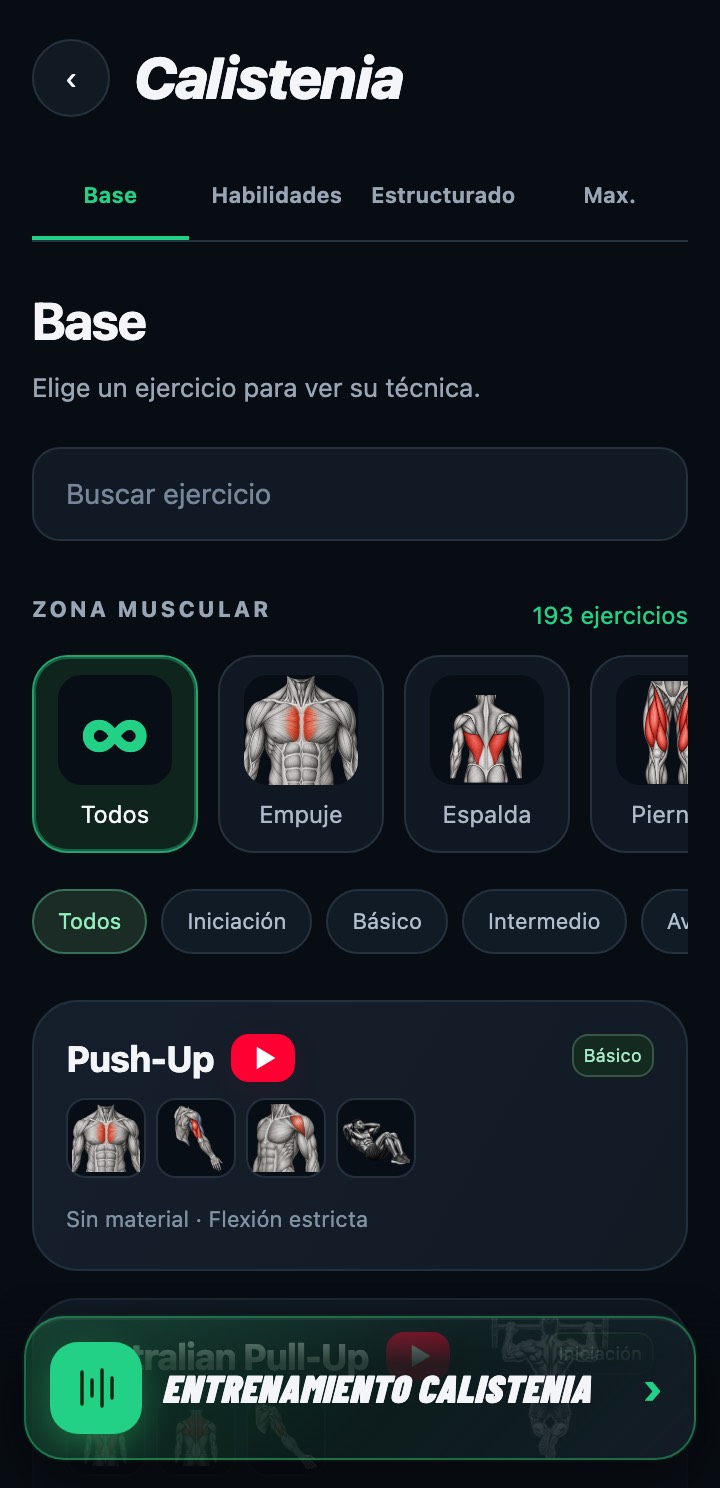
The four tabs
Base
Foundation exercises (push-ups, rows, squats, planks...) filterable by muscle group and level, and the "Calisthenics Workout" button that generates a session tailored to you.
Skills
Calisthenics technique and progressions: muscle-up, front lever, handstand, planche... with their recommended sets and rests.
Structured
Step-by-step paths (Push, Pull, Legs, Core and Skills): each step has a test you mark as achieved and a help plan if you can't do it yet.
Max.
Your max reps in the ten calisthenics ranking exercises: unbroken and in 1 minute.
Base
Finding an exercise
- Type in "Search exercises" or filter by muscle group (Push, Back, Legs, Core, Mobility) and by level (Introduction, Basic, Intermediate, Advanced, Elite).
- Each card shows the name, the muscles it works, its level and the equipment it needs ("No equipment" if nothing is required).
- Tap the card to expand its technique video, with a link to open it on YouTube; only one is expanded at a time. "Show more" loads the rest of the list.
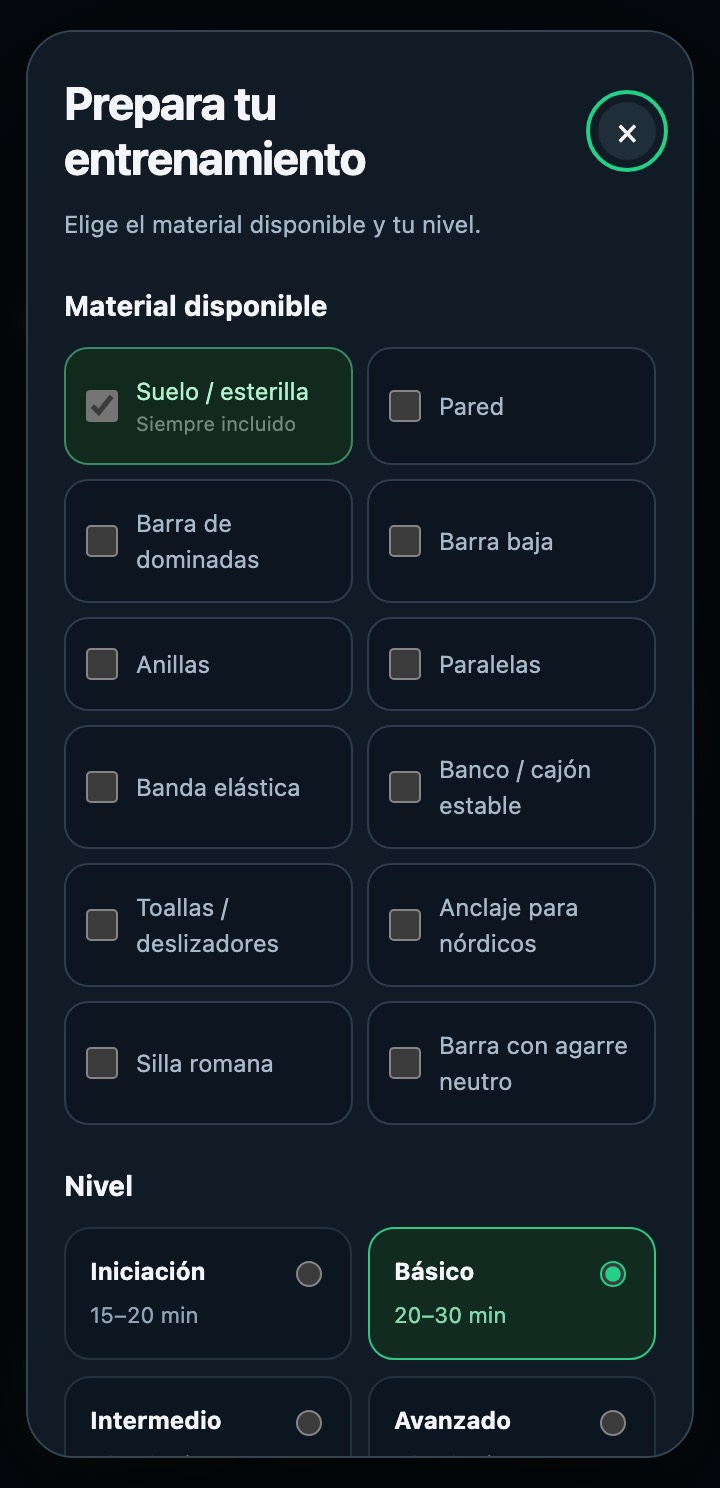
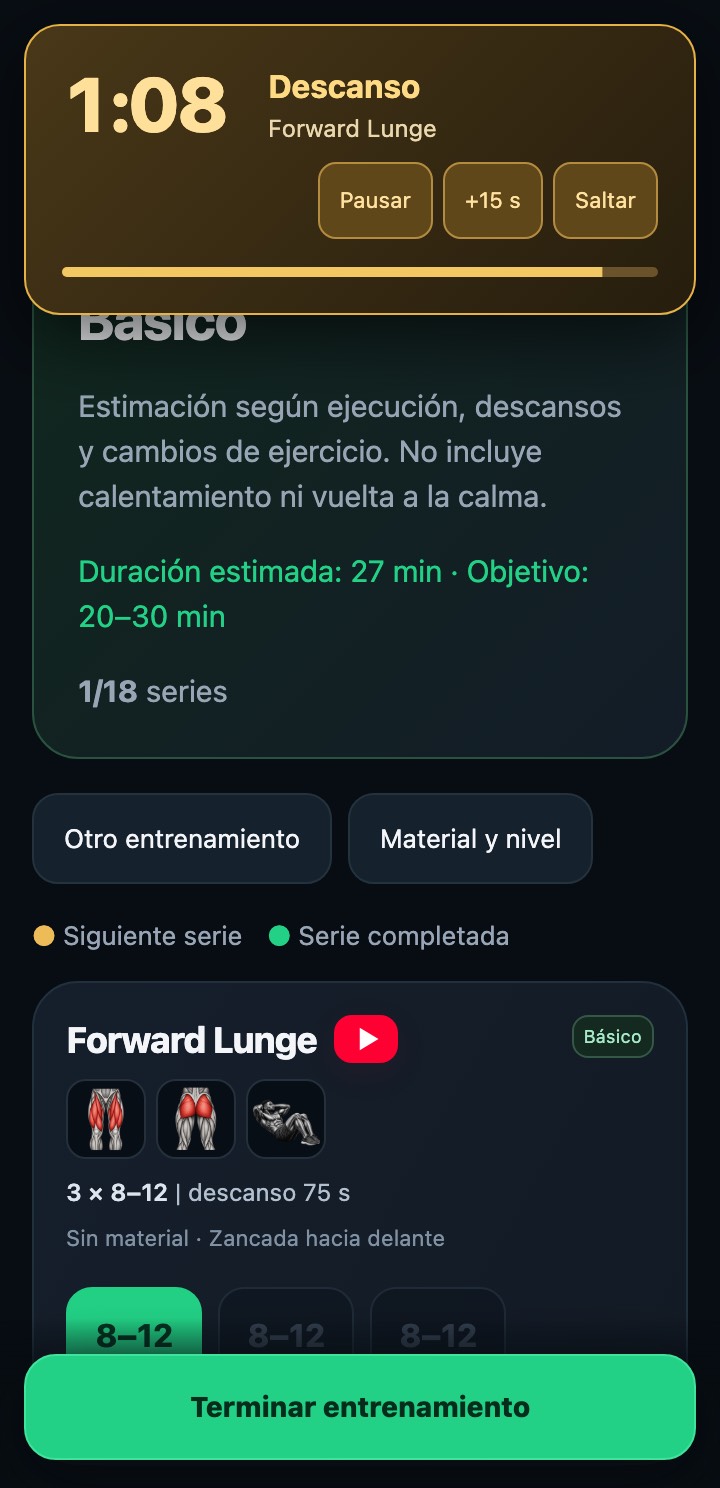
Generating a workout
- Tap "Calisthenics Workout" (at the bottom, in Base) and tick the equipment you have: the floor is always included; wall, pull-up bar, rings, parallel bars, resistance band, bench... are optional.
- Choose the level. Each level has a target duration (15–20 min for Introduction, 20–30 for Basic, 30–40 for Intermediate and 50–70 for Advanced) and only uses exercises of that level or lower that can be done with your equipment.
- Choose the mode: "By rounds" (you tick each set when you complete it and rest as the exercise indicates) or "By time" (a timer leads: 45 s of work and 15 s of rest per exercise, editable before starting).
- Review the list and tap "Start workout". "Another workout" generates another session with the same equipment and level; "Equipment and level" goes back to the setup.
During the session
By rounds
Tap each set when you complete it: only the next one is available and you can undo the last one. Marking it starts that exercise's rest, with Pause, +15 s and Skip, and a sound alert in the last 3 seconds.
By time
After 10 s of preparation, the timer chains the work and rest of each exercise with a countdown and sounds; you can pause, skip or reset. Each exercise is done once and is marked automatically when its time is up.
Finish
"Finish workout" saves the session as completed and lets you repeat it. If you leave mid-session, the app warns you that what you did will not be saved.
The videos are technique videos, they don't follow along with the exercise: make sure you know all the exercises before starting. The generated workout is not saved as a plan; a new one is generated each time with your equipment and level.
Skills
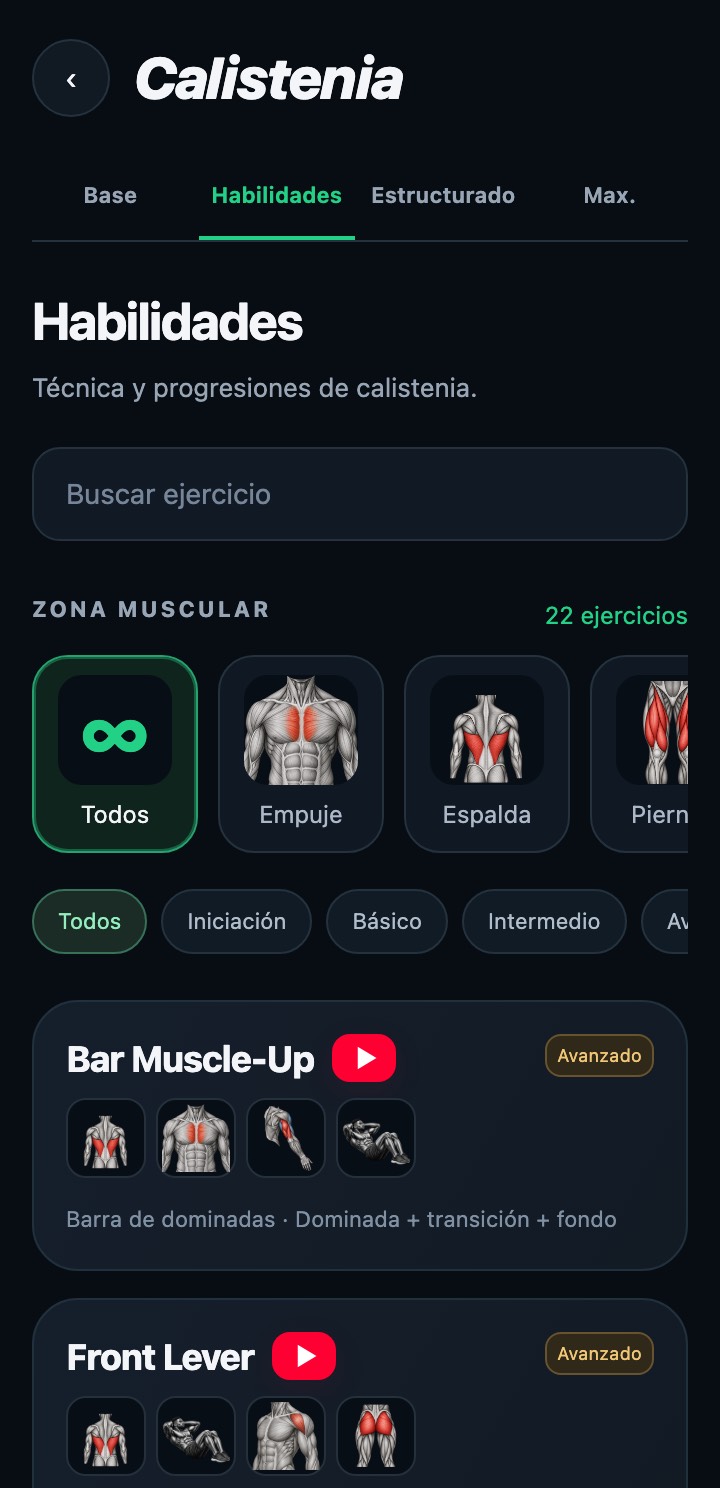
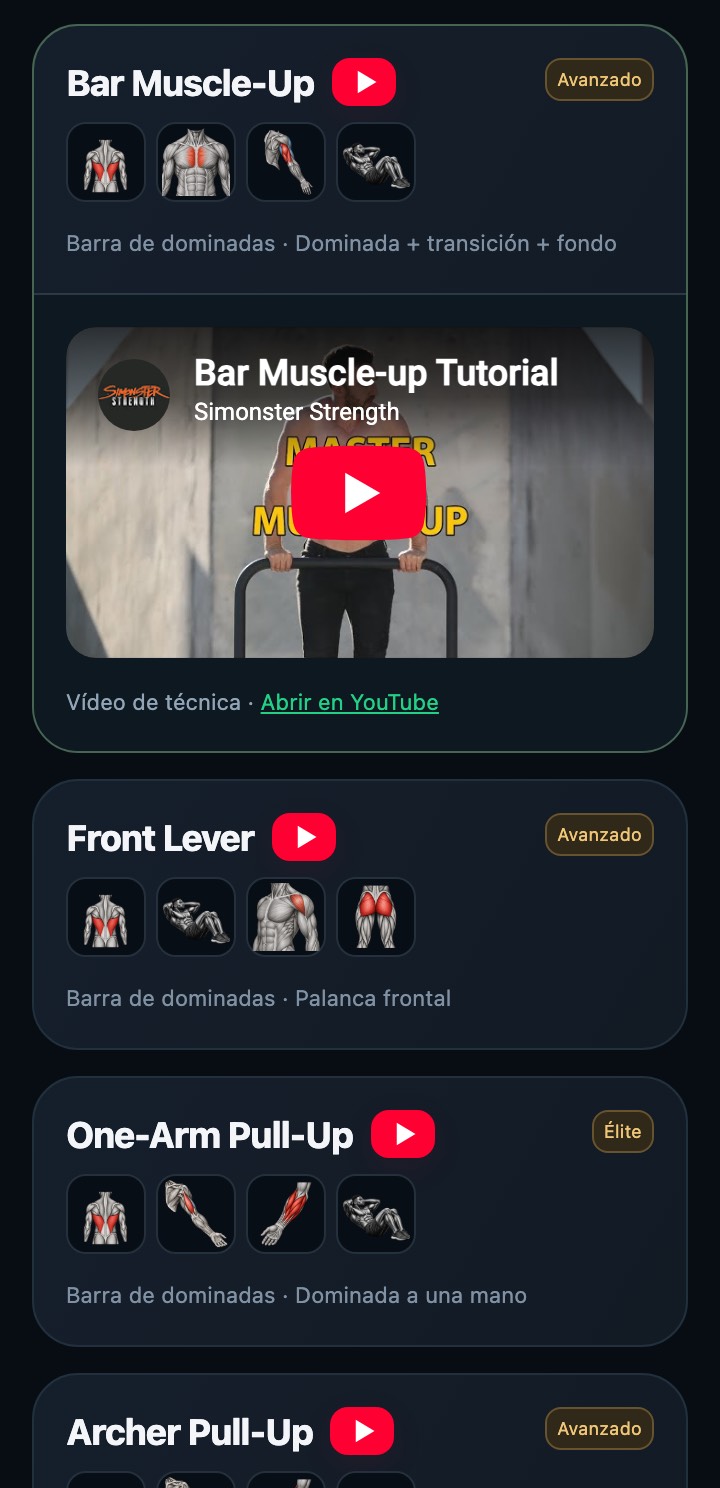
Same library as Base, but with the skill exercises: muscle-up, front lever, handstand, planche, one-arm pull-up... Each card adds the recommended prescription (sets × reps or seconds, and rest) and, when expanded, the technique video.
Structured
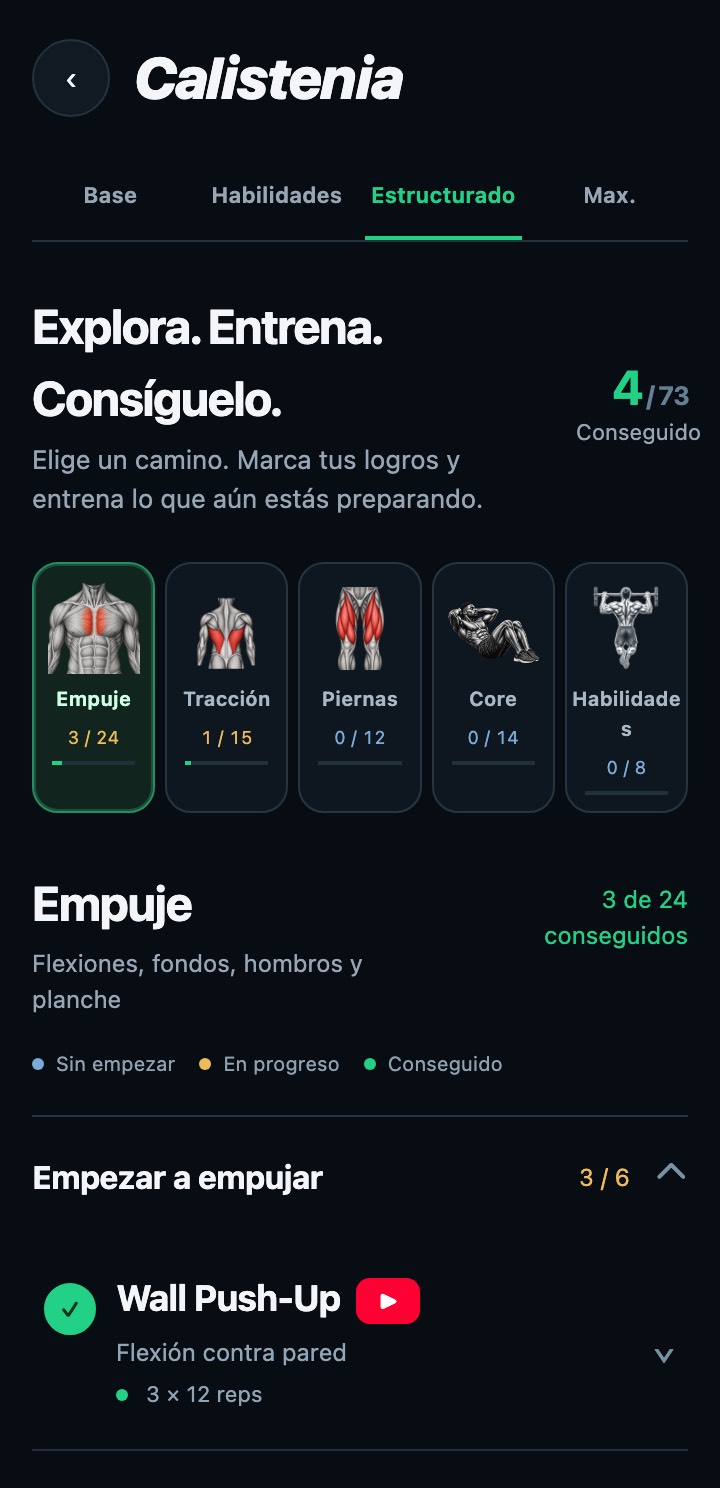
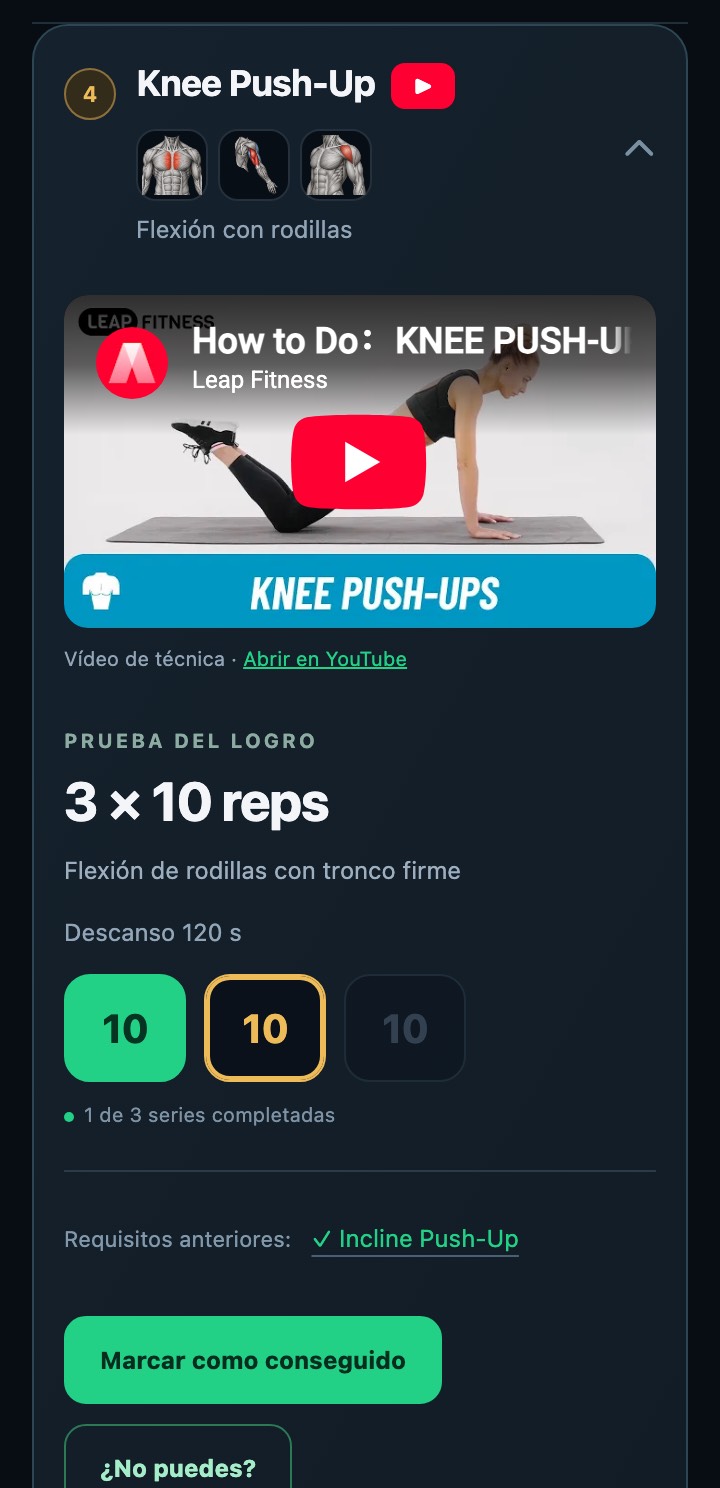
Following a path
- Choose a path at the top: Push, Pull, Legs, Core or Skills. Each one shows how many achievements you have (for example, 3 / 24) and is divided into collapsible chapters.
- Each step is an exercise with its test ("3 × 12 reps"): blue when not started, orange in progress and green when achieved. Tap the step to open it.
- Inside you see the video, the achievement test with its sets (you can tick them off as in a workout, with their rest), the prerequisites and the "Mark as achieved" button.
- Confirming an achievement also marks any missing prerequisites; unmarking it unmarks the later achievements that depend on it.
- If you can't pass the test, "Need help?" opens a preparation plan (days per week and weeks) with its exercises: log each full session and, when you pass the test, mark the achievement.
Structured progress is saved to your account and is the same on web, Android and iPhone. If you change it on another device, the app will ask you to reload to continue with the saved version.
Max.
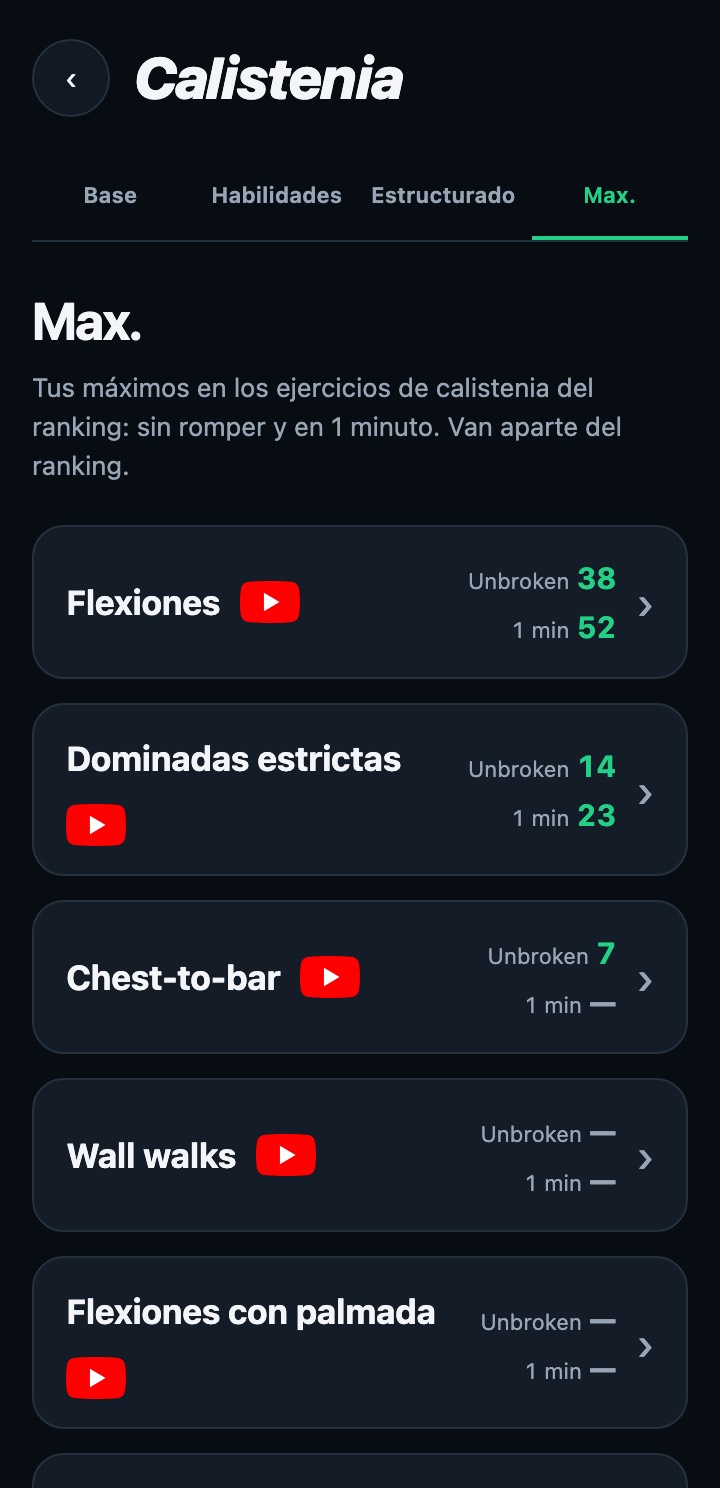
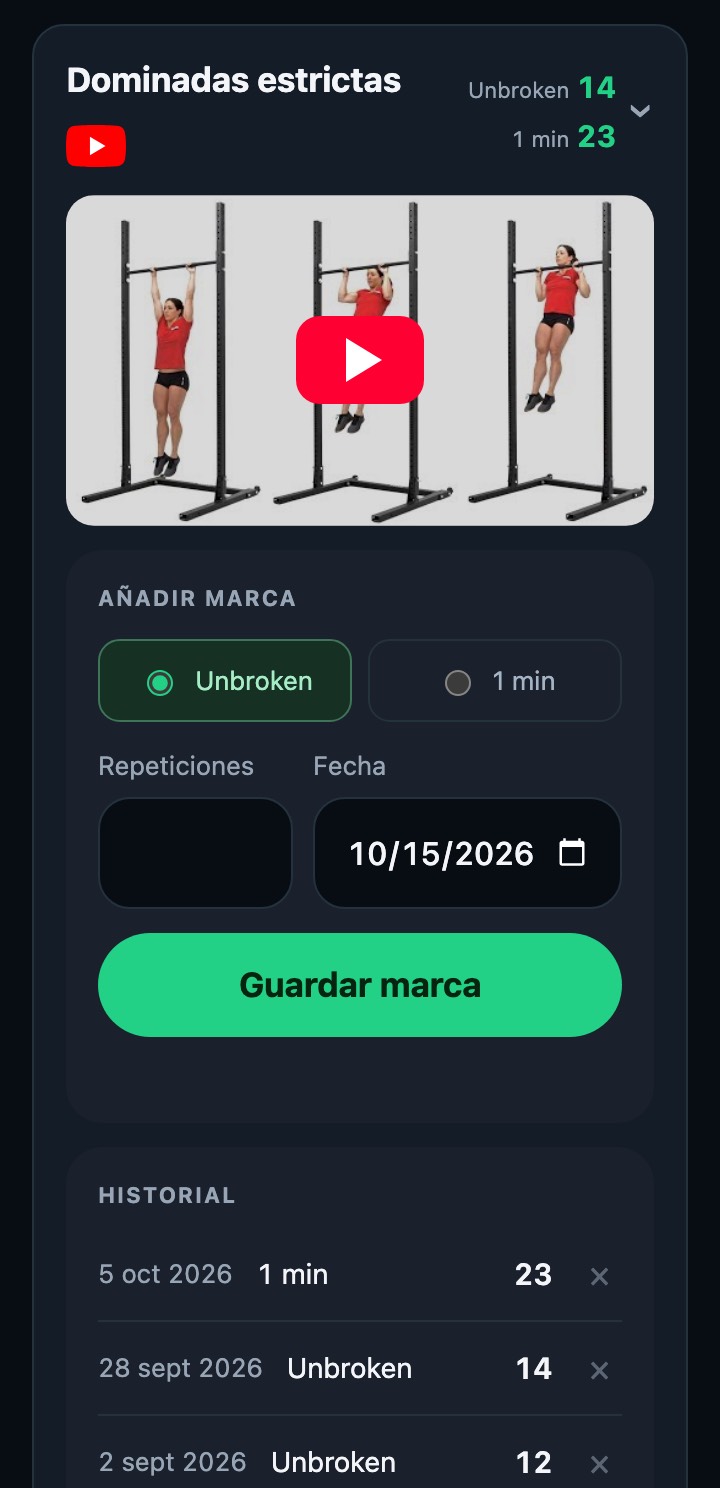
Both scores for each exercise
Unbroken
The most consecutive reps you have done in one go, without letting go of the bar or stopping.
1 min
The most reps in 60 seconds, with whatever pauses you need within that minute.
Logging a mark
- The list shows the ten ranking exercises (push-ups, strict pull-ups, chest-to-bar, wall walks, burpees, bar muscle-up...) with your best mark of each type; "—" if you don't have one yet.
- Tap an exercise to expand it: video, form and history. The red icon opens the video directly.
- Choose Unbroken or 1 min, enter the reps and the date (today by default; it cannot be in the future) and tap "Save mark".
- "History" lists all your marks with date, type and reps; the X deletes one (it asks for confirmation) and your max is recalculated from the remaining ones.
These marks are separate from the World Ranking: to appear in it you have to share your mark from the ranking's "Calisthenics" tab.